


The differences between software changes, operator interface updates and control panel upgrades, and the information needed for an initial review.
A machine's age alone does not mean that its entire automation system needs replacing. Upgrade needs become clear when the problem, the desired new mode of operation and the condition of the existing control system are considered together. The first step is to describe the fault or requested change in concrete terms.
Identify the need behind the upgrade request
Adding equipment to production, changing the operating sequence or providing operators with more information may call for an automation upgrade. For example, when a conveyor is added to an existing line, it is necessary to establish which equipment it must start before and under what conditions it must stop. This description provides the starting information for the software change.
For recurring stoppages, it helps to note which equipment stopped, during which operation and with which message on the screen. A short record of what happened before and after the event gives the review a useful starting point, beyond simply stating that the system is not working. Two apparently identical problems may arise from different field signals or operating conditions.
Software, HMI screens and control panels involve different work
PLC software handles the machine's operating sequence and the conditions linking equipment. The HMI is the interface where operators issue commands and view status information. Control panel work involves assessing control components, connections and electrical design. A change may affect one or more of these areas, which is why their scope should be distinguished at the outset.
Converting relay-based controls to PLC/HMI control is another type of upgrade. The machine's existing operating steps and operator commands are identified first. The new program and operator interface are then designed to support this operation, with control panel and field connections assessed within the same scope. Enopan uses this technical information to plan conversions from relay-based controls to PLC/HMI control.
| Need | Initial assessment |
|---|---|
| Adding a step to the operating sequence | Equipment, input/output signals and the PLC operating sequence |
| Giving operators clearer status and alarm information | HMI screen layout, data to display and commands |
| Upgrading the existing control panel or control system | Electrical design, control components and field connections |
| Accessing historical production or alarm records | Data points, recording arrangements and SCADA/reporting requirements |
What information helps when reviewing the existing system?
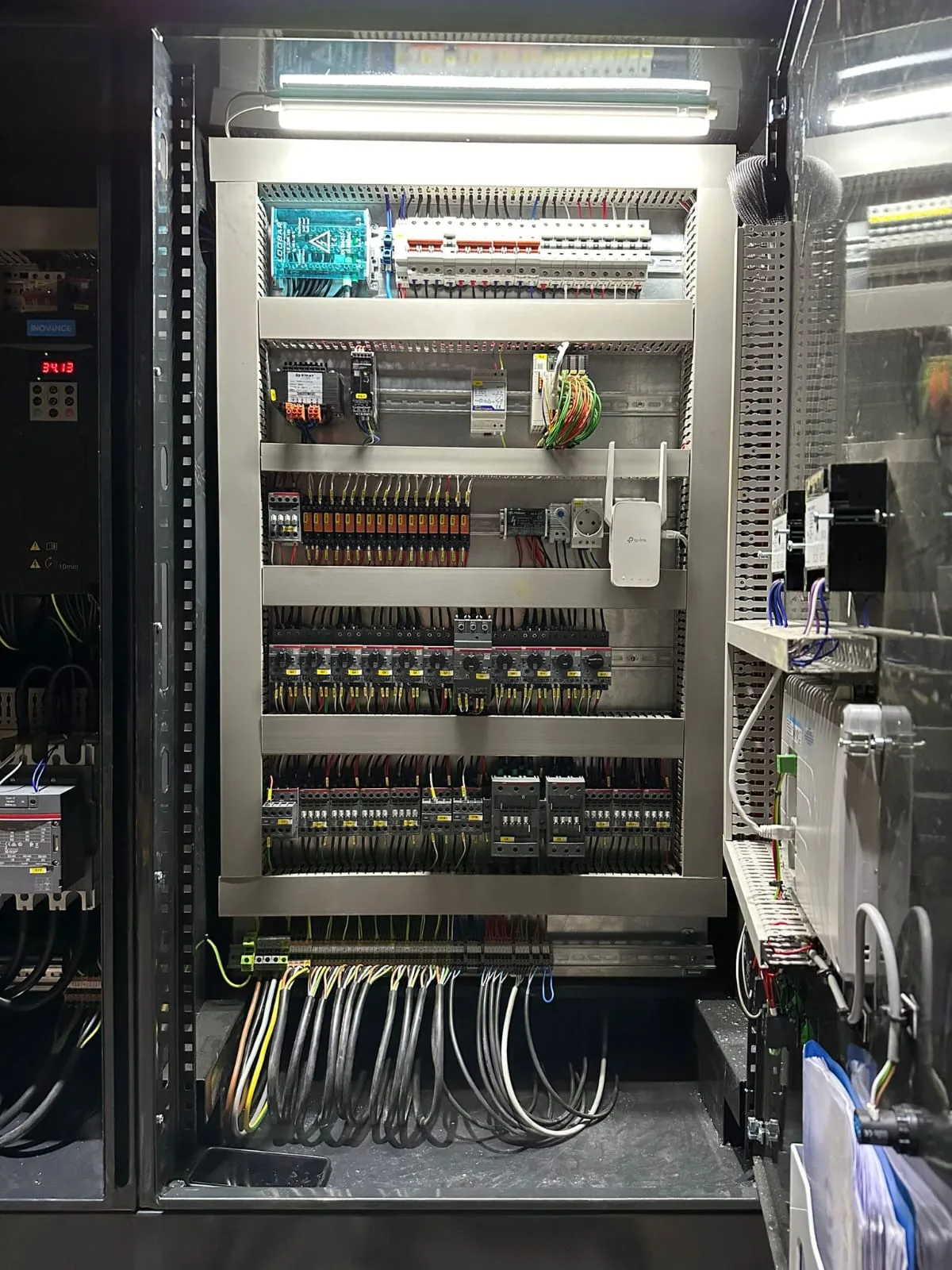
PLC and HMI make/model details, general photographs of the inside of the control panel and electrical diagrams help explain the existing setup. If program backups are available, it is also important to identify the machine and version they belong to. The plant's current operation is considered alongside the information in the documents.
For a machine without a program backup, software can be developed anew by examining its existing operating sequence. The scope of this work is determined by the machine's movements, operator commands, field signals and requested changes. Information explaining what the machine does is therefore needed alongside photographs of device labels.
Set out current and expected operation side by side
A practical way to explain an upgrade request is to prepare two short columns: how does the machine operate today, and how should it operate after the change? The comparison can clearly identify equipment to be added, a new operator command, a waiting step to change or information required in a report. It describes both the desired outcome and the operation that the control system will change.
The effect of new equipment on the existing system is also discussed at this stage. Field signals to be used, statuses shown to the operator and relevant alarm messages are included in the operating sequence description. This is the technical description to agree on before implementation; the details are prepared around the machine's or plant's needs.
Discuss commissioning and handover scope from the outset
Project discussions cover the conditions under which the upgrade can take place on site, the times available for a planned production shutdown and the operating steps to be checked. Field signals, operating sequence, operator commands and alarm notifications are checked together during commissioning. The test scope is matched to the equipment involved in the work.
Program backups, electrical diagrams, an operating manual and operator training are standard handover items in Enopan projects. Where the customer provides an internet connection, a service connection can be established through the customer's computer or remote access devices. How this connection will be used within the project and the required access are defined separately.
A short preparation checklist for the first discussion
To start the review, you can gather the information below rather than prepare a lengthy technical file. Any missing documents can be identified during the discussion to clarify the current situation. The aim is to assess the need and the system together before assuming which part must be upgraded.
- The machine's or plant's function and main equipment
- The operation where the problem occurs, or the new operating step required
- PLC/HMI label details and photographs of the existing control panel
- Electrical diagrams, operating documents and program backups, if available
- Site location and the production shutdown that can be scheduled for the work
Tell us which operating step you want to upgrade
Explore the control panel and system upgrade service to discuss your existing system and the behaviour you want to change.