

A SCADA system brings plant operating status, production information and alarms together on central screens. At Enopan, we identify the data your business needs to monitor and the control functions it will use, then prepare SCADA screens, records and reports accordingly. We engineer remote monitoring, control and report access from a phone or computer alongside the existing automation infrastructure.
Screen and control panel examples from our work
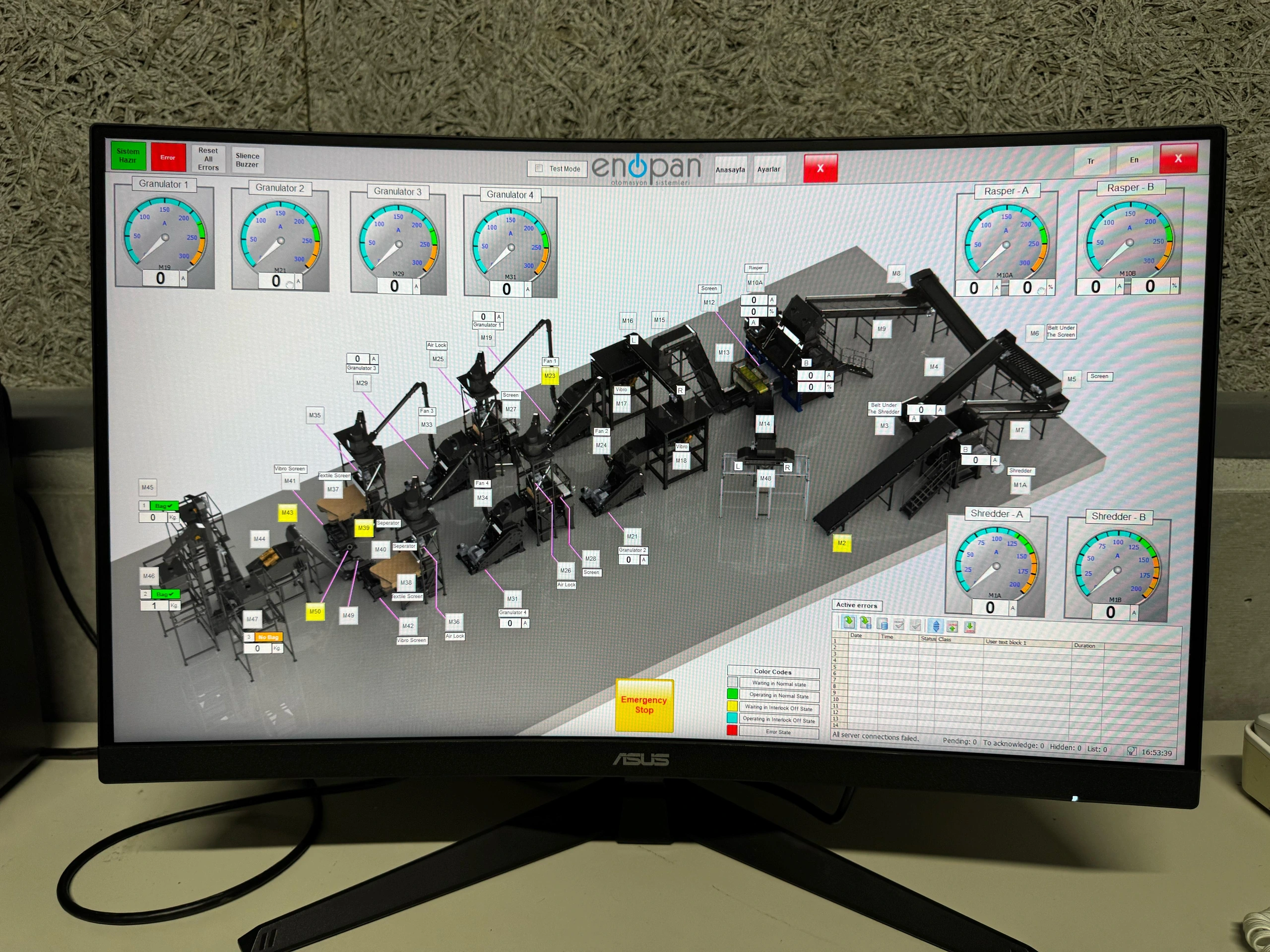
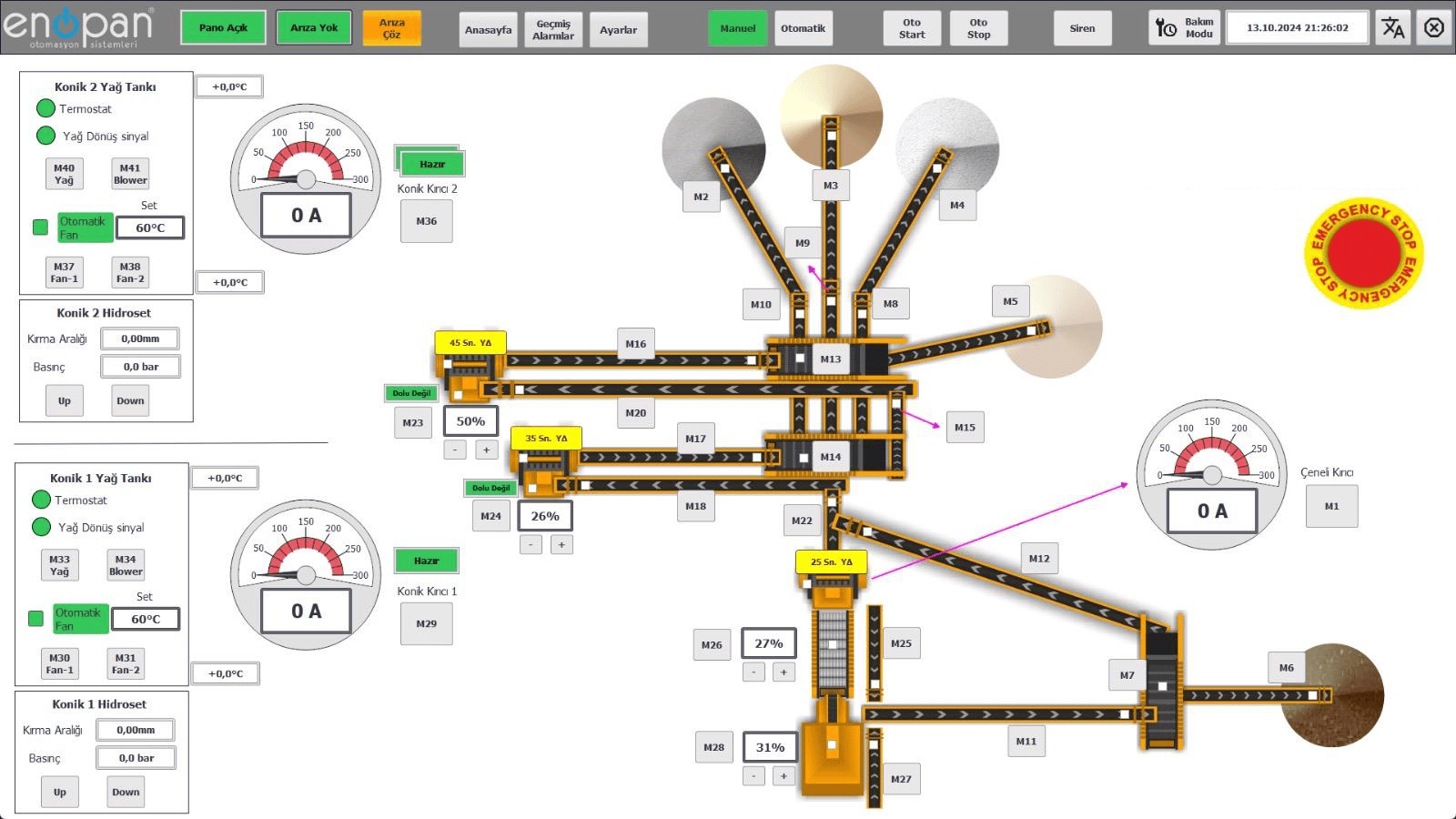
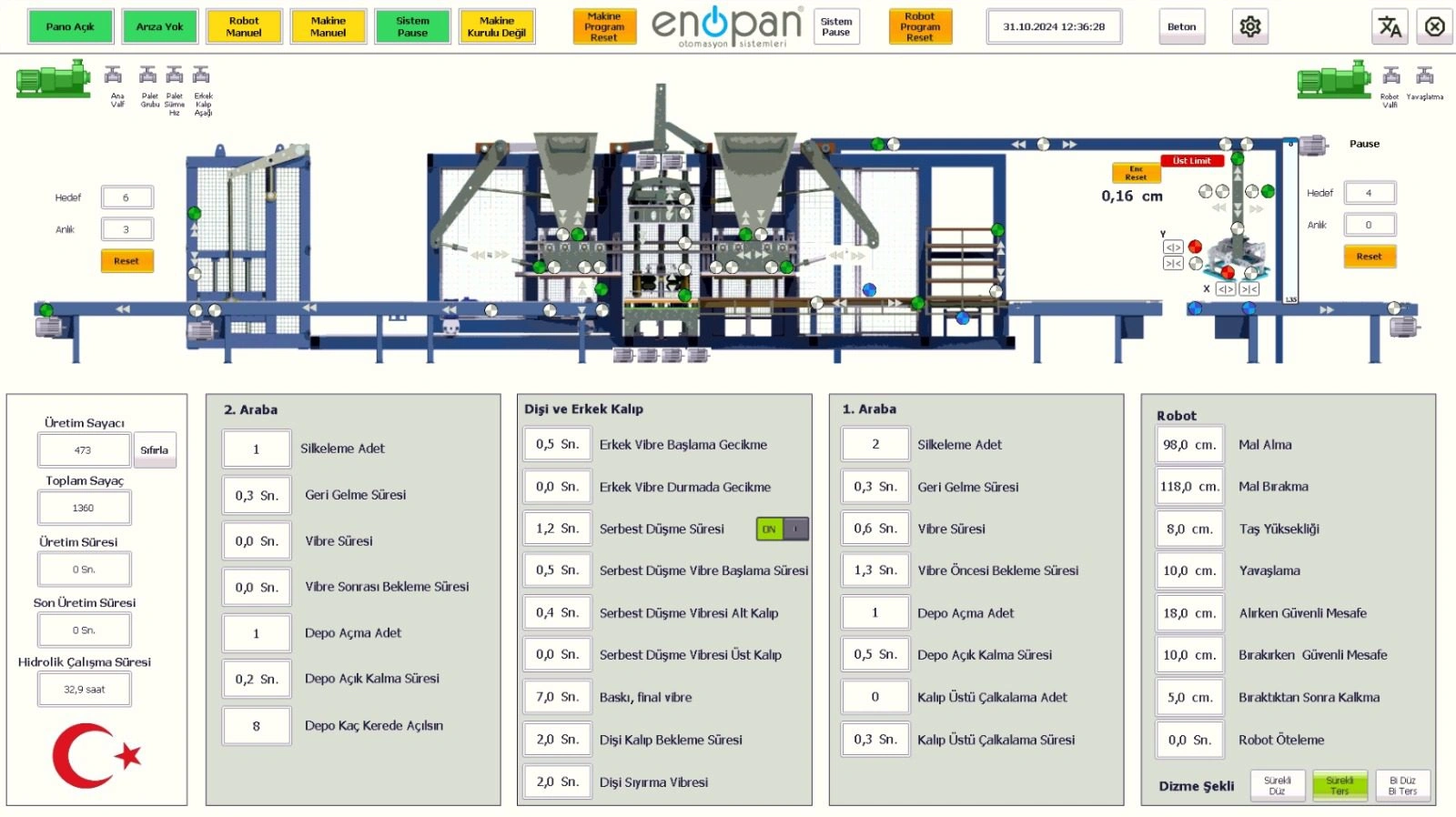
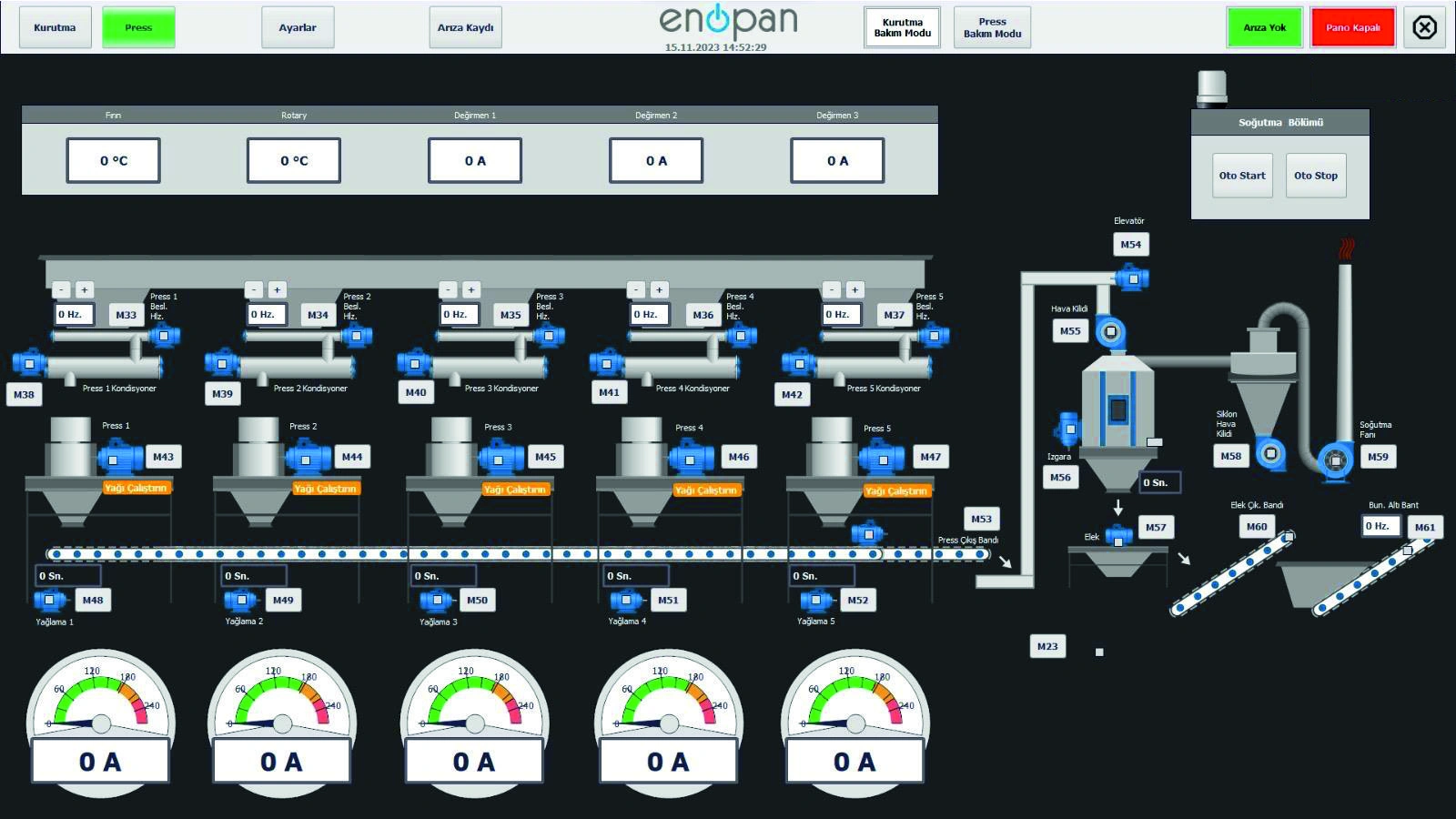
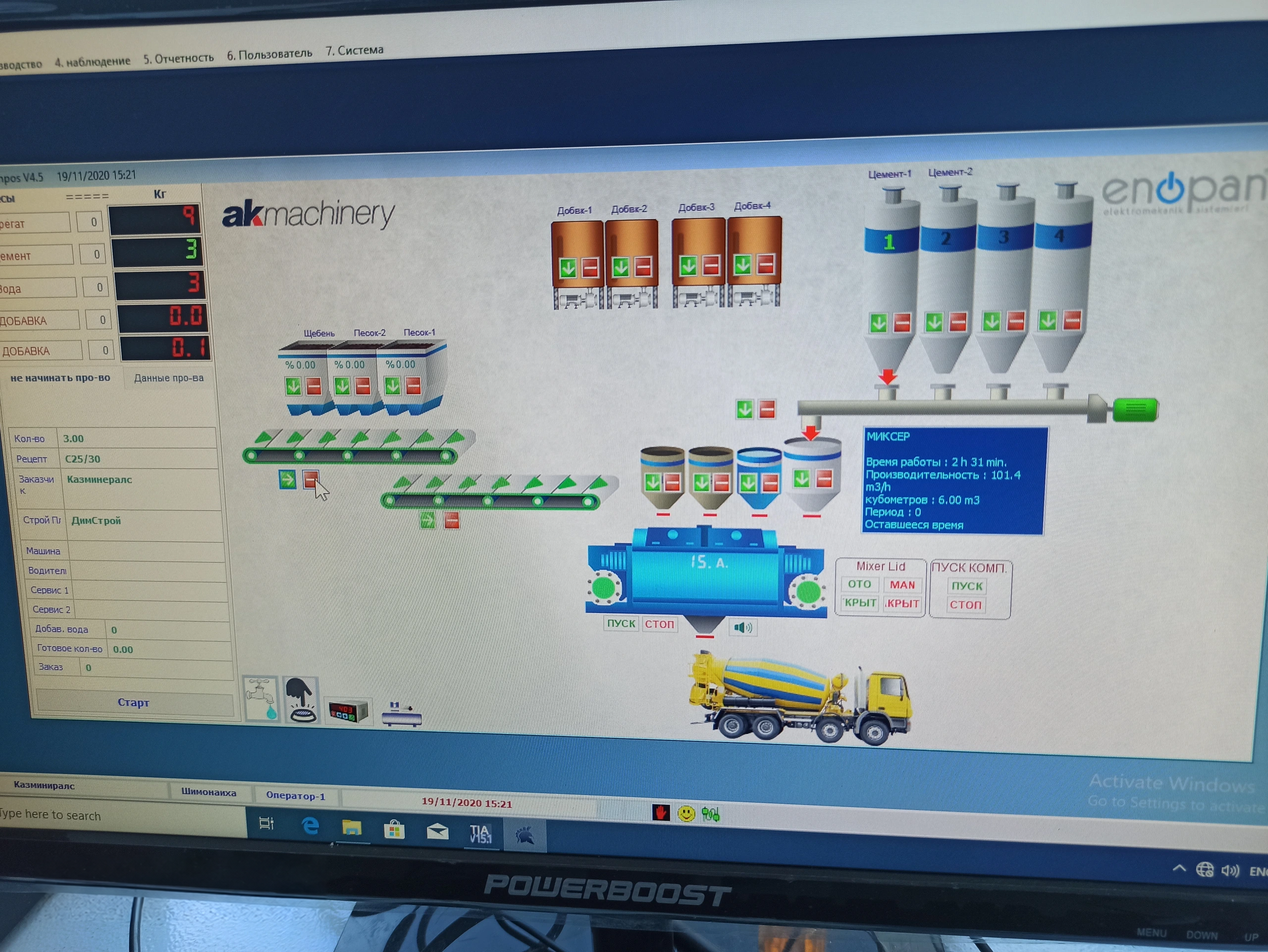
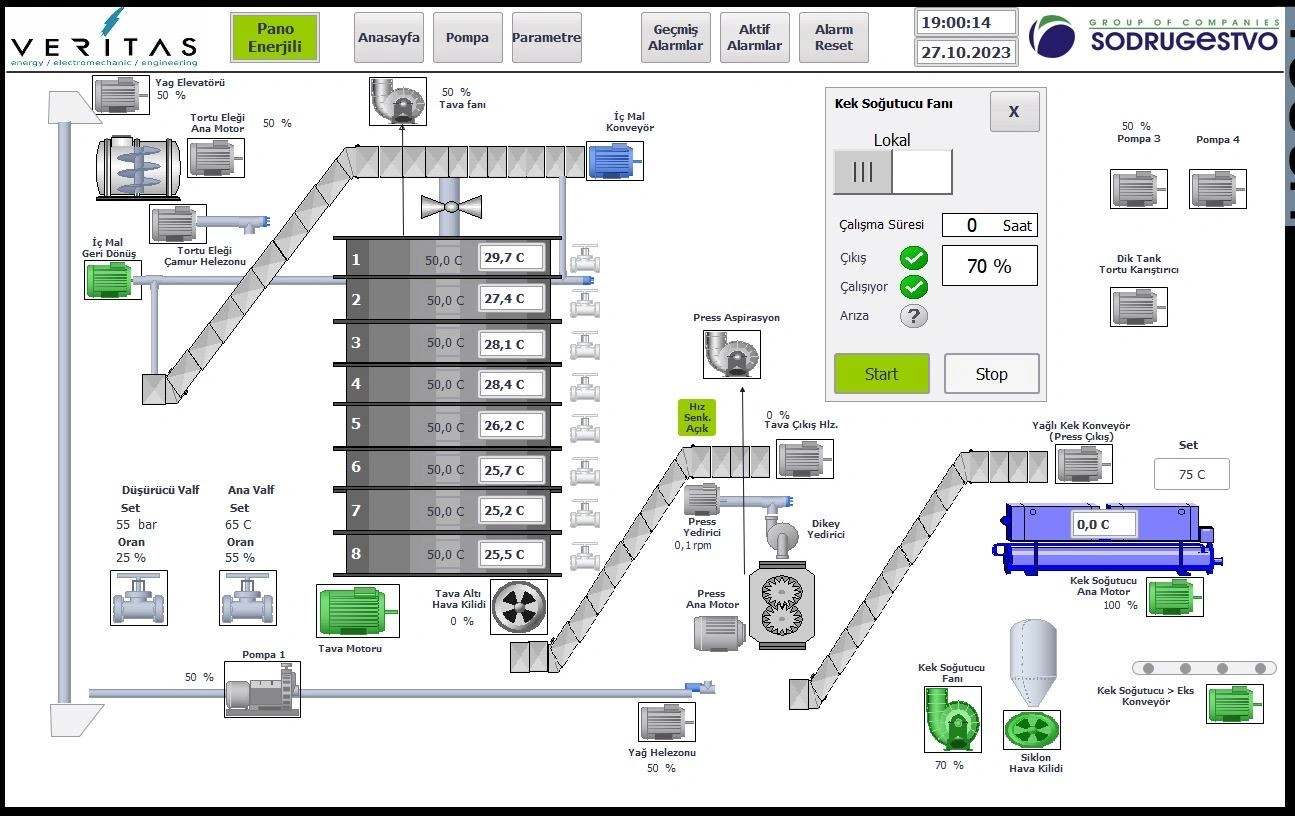
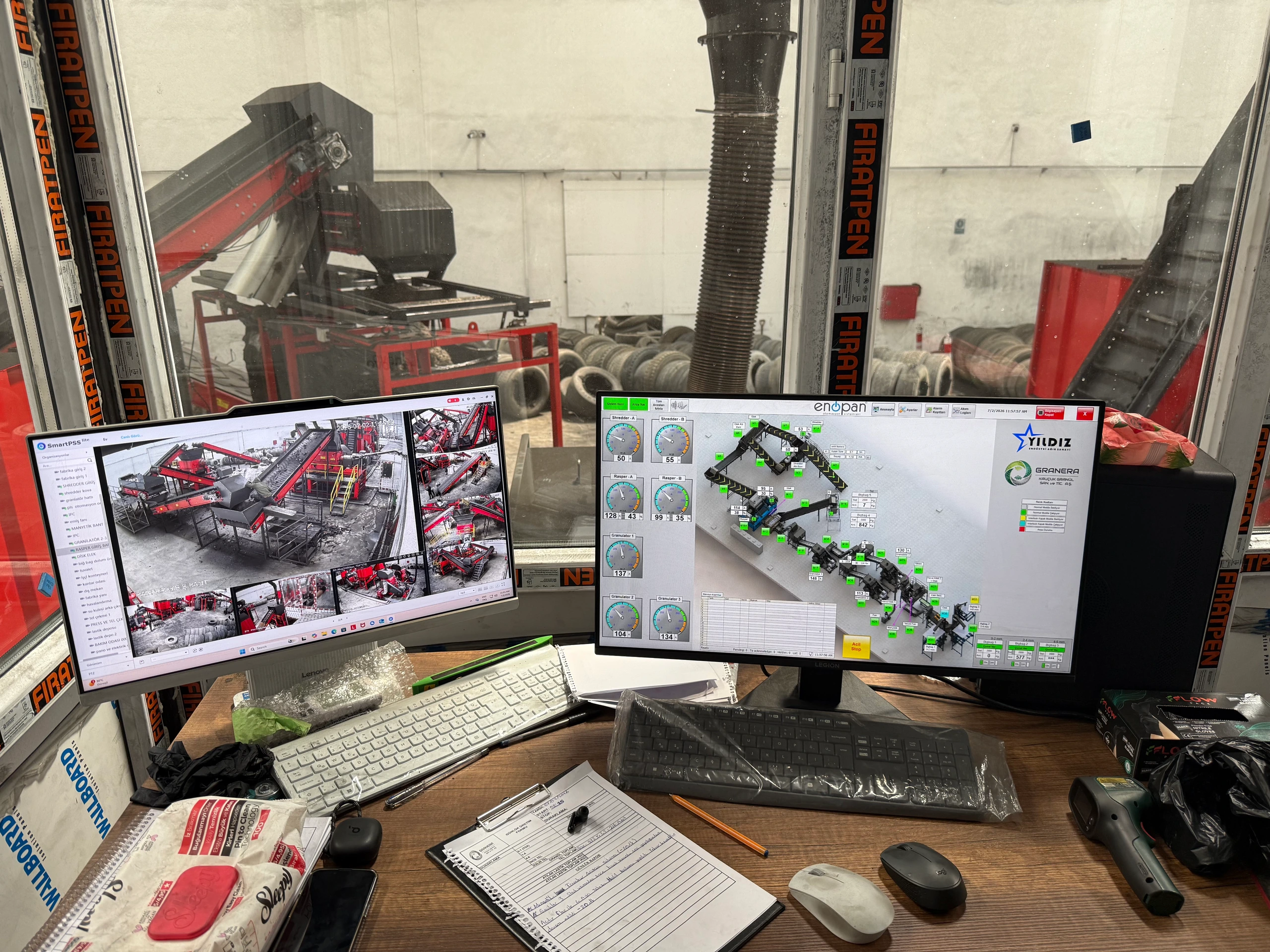
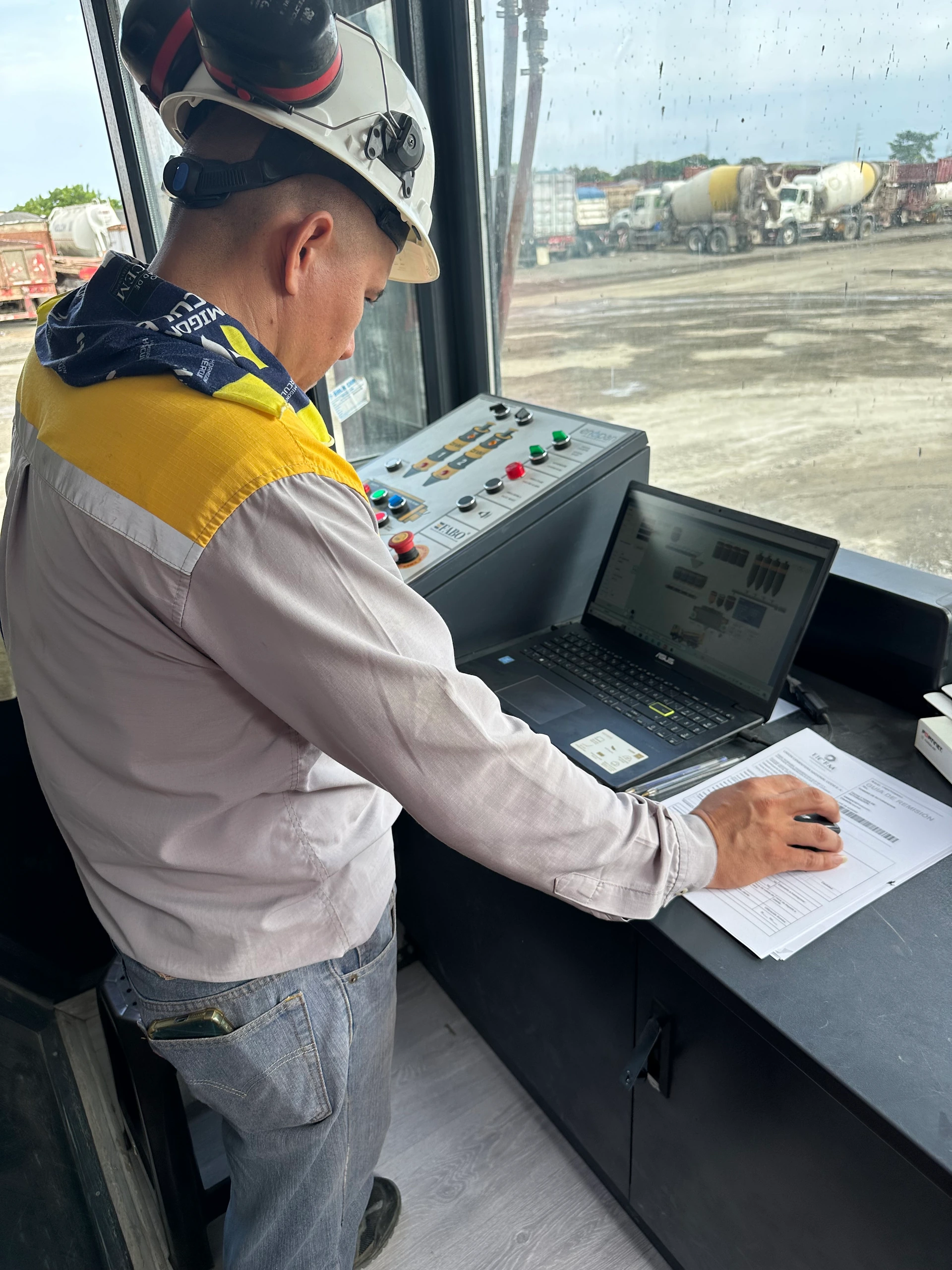
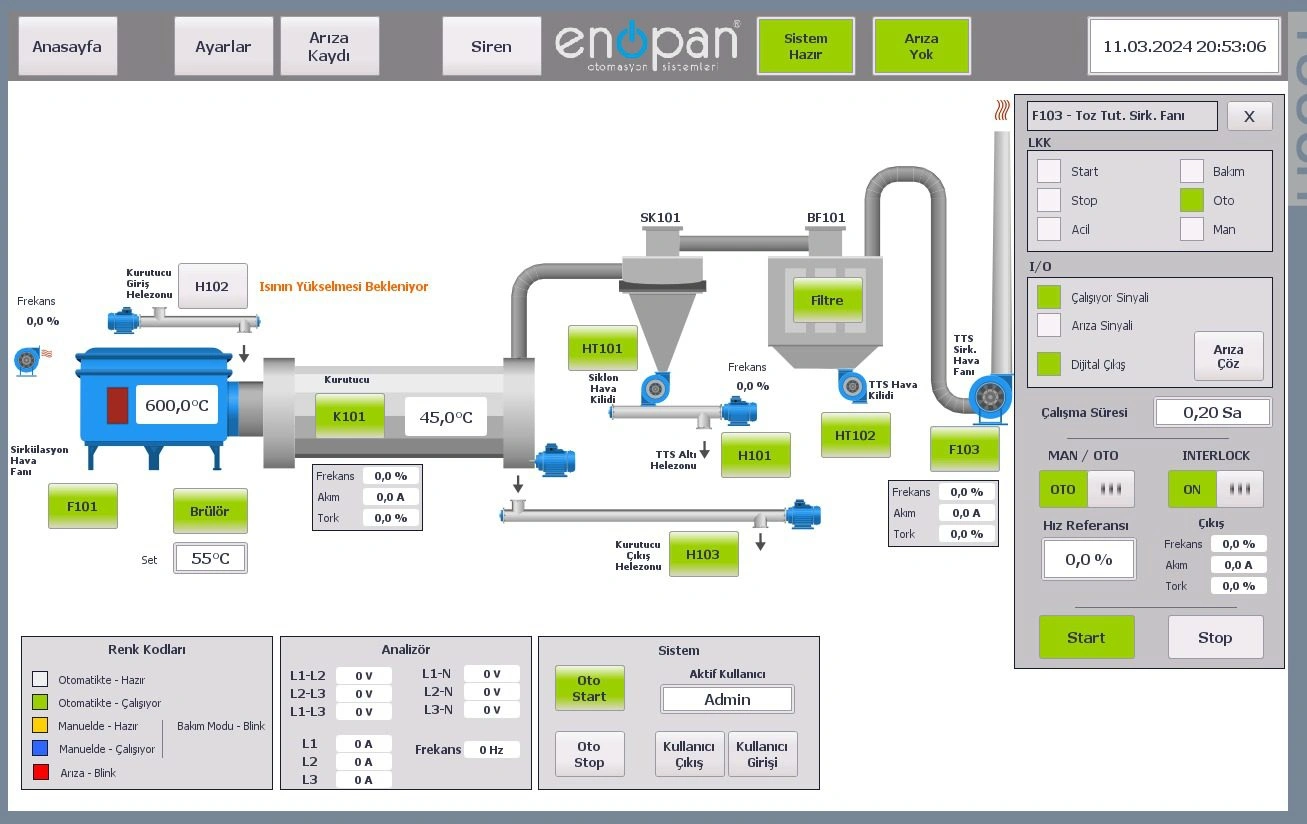
Monitor unit status on central screens
On SCADA screens showing plant flow, we display equipment operating status alongside measured process values. Examples include crusher and conveyor status in crushing and screening, motor load and temperature in pellet lines, and shredding and separation units in tyre recycling. The values displayed are defined according to field sensors and information available from the control system.
When defining central monitoring, we clarify which units appear on the same screen, which details have separate screens and which commands the operator will use. For new installations or adding SCADA to an existing system, data connections and the suitability of existing software are assessed together.
Review production and alarm records
Live monitoring shows the current process, while records allow previous production and alarm events to be reviewed. We define which production counts, time information, operator actions and alarm history to record according to project needs. We arrange report contents around the information the business wants to see and prepare report outputs in Excel and PDF formats.
For concrete batching plants, tracking weighing and production records and transferring production information to an ERP or accounting system can also be assessed. The system to be used and fields to be transferred are clarified in the plant project. For other plants, reported data is selected according to their production processes and existing measurement infrastructure.
Sending alarms by SMS and email
We configure SCADA alarms to be sent to designated recipients by SMS or email. For SMS, we use devices intended for this purpose. Email sending is configured through settings in the SCADA or HMI system's own interface. The alarms and their recipients are defined during project design.
Access your plant from a phone or computer
For remote use, we provide plant status monitoring, report review and access to defined control functions. The users who can access screens, the information they can see and the commands they can use are defined during project design. Operations such as starting, stopping or changing parameters are assessed together with plant operating conditions.
Before quotation, sharing existing internet access, the phones and computers to be used, control system details and access expectations helps define the scope. The contents of local operator screens and remote screens are considered in this assessment.
Remote connection for technical service
The purpose of a technical service connection is to review software and fault information. When the customer provides internet access, we connect through the customer's computer or a remote access device. The fault to be investigated, relevant equipment and available alarm information are the starting point for service work. Tasks requiring on-site measurement or equipment intervention are identified separately.
Remote monitoring with Enopan Connect
Explore Enopan Connect to follow plant data from a phone or computer. The data to be displayed, reports and access scope are determined after reviewing your existing automation infrastructure.
Let's define screens, records and access together
Engineering considers plant flow, the data list, screen layout, reporting requirements and user access. Commissioning checks include displayed status information, alarm displays, records and defined control functions. The operating manual and operator training explain screen use, report access and reading alarm history.
PLC/HMI program backups, electrical drawings, an operating manual and operator training are included in our standard handover. Existing program backups and drawings are used to assess how the new monitoring system relates to the plant.
Frequently asked questions
Can SCADA and remote monitoring be added to an existing plant?
The scope is defined after examining the existing control system, available data and communication capabilities. PLC/HMI details, existing screens and the units you want to monitor can be shared for the initial assessment.
What should I prepare for a reporting request?
Share the production information you want to see and examples of your existing reports. Identifying who will use the reports and which historical records need to be reviewed helps define the data and screen scope.
Share the information you want to monitor and report
Send your plant flow, existing automation details and an example of your reporting needs. We can assess central monitoring, records and remote use together.